
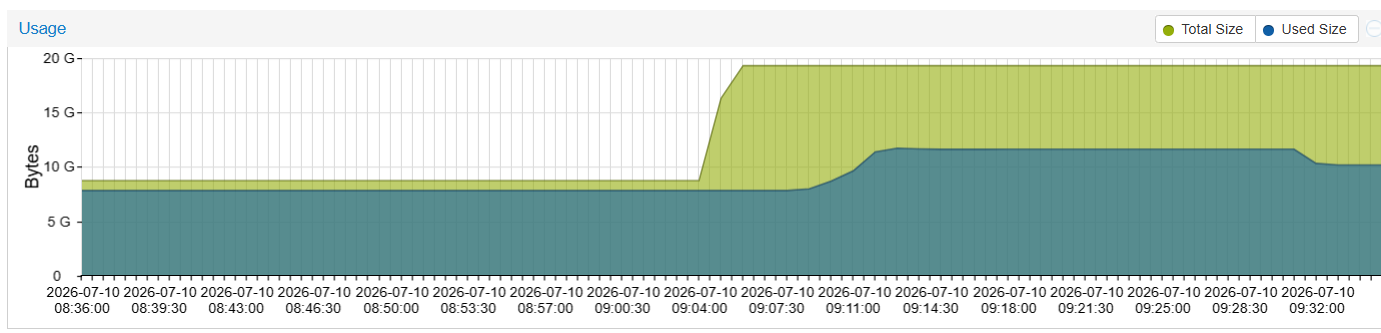
A couple of details, first: if your issue is simply one of disk space on a physical computer, there may not be much you can do. But in my case I was running a Virtual Machine and I could expand the virtual disk – so allow to me to explain, for a moment, why I was running such a tiny Proxmox VE machine that started out life as just a 10GB device in the first place!
When setting up High Availability and Replication, it is advised to have an odd number of clients so that the cluster never ends up in “tie” scenario. So I set up a Virtual Machine on a random computer in the office that runs 24/7. Not a Virtual Machine WITHIN the Proxmox VE, that wouldn’t work reliably, but just a random Windows Hyper-V machine with just 10GB of diskspace and maybe only 2GB of RAM. Literally just enough to boot Proxmox VE and join the group so it could serve as a tiebreaker box.
The problem is, eventually, I needed to update it to keep it at a similar software version as the other machines it’s talking to. When I tried to do that, however, I received an error stating: “E: You don’t have enough free space in /var/cache/apt/archives/” – that’s when the rabbit hole began.
This is a simple virtual machine, so I knew I could expand the Virtual Hard Drive. So I shut the machine down, opened Hyper-V settings, and expanded the drive from 10GB to 20GB. I also knew that I would need to expand the partition on the disk, so I immediately booted an ISO of the GParted LiveCD, found the logical volume that was currently over 9GB in size, and resized it to be about 19GB!
Then I opened Proxmox VE and… had the same issue as before? What? So I ran the command df -h in the Proxmox shell and could see that the file system “/dev/mapper/pve-root” served as the mount for “/” which would be where “/var” was living. And, sure enough, it was still its old size. Eventually I realized that even though I had expanded the logical volume using GParted, I needed to run two more commands to expand the partition within Proxmox VE.
lvextend -l 100%FREE /dev/mapper/pve-root
then
resize2fs /dev/mapper/pve-root
After I ran both of those, the disk now showed the correct amount of free space, and I could run my Proxmox updates without issue.